Restaurants & cafés
From the table to the kitchen to the invoice, even offline
The cashier's till in each branch is the hub: it decides open orders over the restaurant's own network, so waiters and the kitchen keep working with the internet down. If the hub stops, the devices carry on and hand over what they took when it returns — no lost order and no kitchen ticket printed twice.
In the dining room
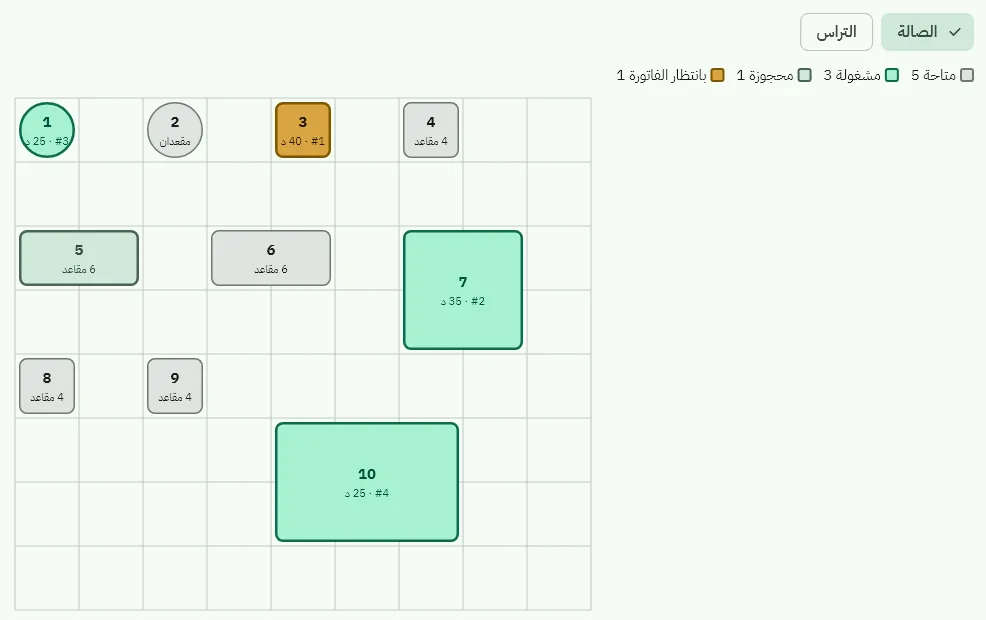
Table plan
Zones and tables you draw yourself, and each table's state live: free, occupied, reserved, awaiting the bill — with table moves and order merges.
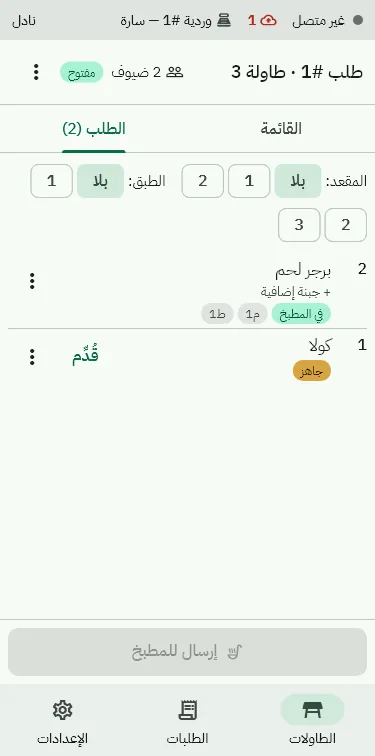
Waiter on a phone
Orders by seat and course, required and optional modifiers within their limits, notes, and voids after the kitchen with a manager's approval.
The menu
Priced modifiers, combos with their choices, prices per order type (dine-in, takeaway, delivery) and timed happy hours.
Charges
Service and delivery charges as a line on the invoice by order type.
The kitchen
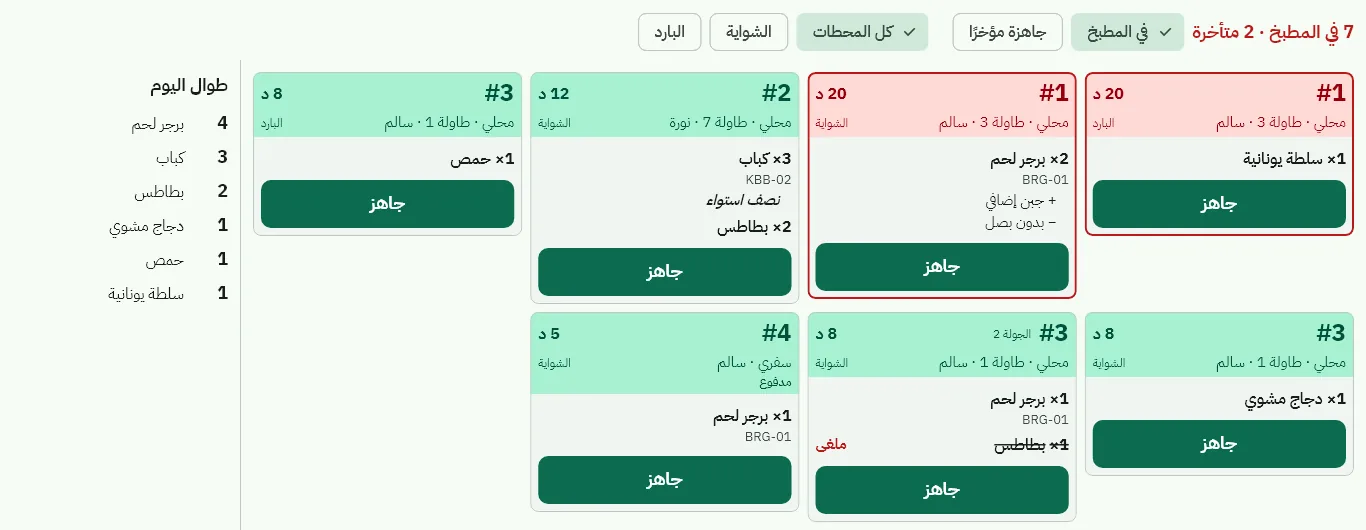
Each order reaches its station — grill, cold, drinks — on the kitchen display or the station printer. Oldest first, late tickets in red, and «ready» reaches the waiter at once.
- A backup printer takes the ticket when the main one fails
- A «void» ticket for what was cancelled after it was sent
- An all-day count per dish on the kitchen display
Waiter and cashier
The waiter takes the order on a phone and sends it to the kitchen; the cashier sees open orders and splits the bill equally, by item or by amount — each part an invoice through the same sale path.
- Each part paid its own way
- Voids, comps and discounts follow an approval matrix the business sets
- A voids and comps report for management
Takeaway and delivery
Delivery zones
Zones by district, each with its fee and minimum order, and the customer's address on the order.
Drivers
Assign the driver and track the order; the driver's cash is settled at the cashier's drawer at the end of the shift.
Incoming orders inbox
Orders that reach the branch are accepted or refused by the cashier, then go to the kitchen like any other.
Delivery apps Coming soon
Linking delivery apps to the incoming orders inbox — awaiting partnership agreements.
Calories and allergens on the menu
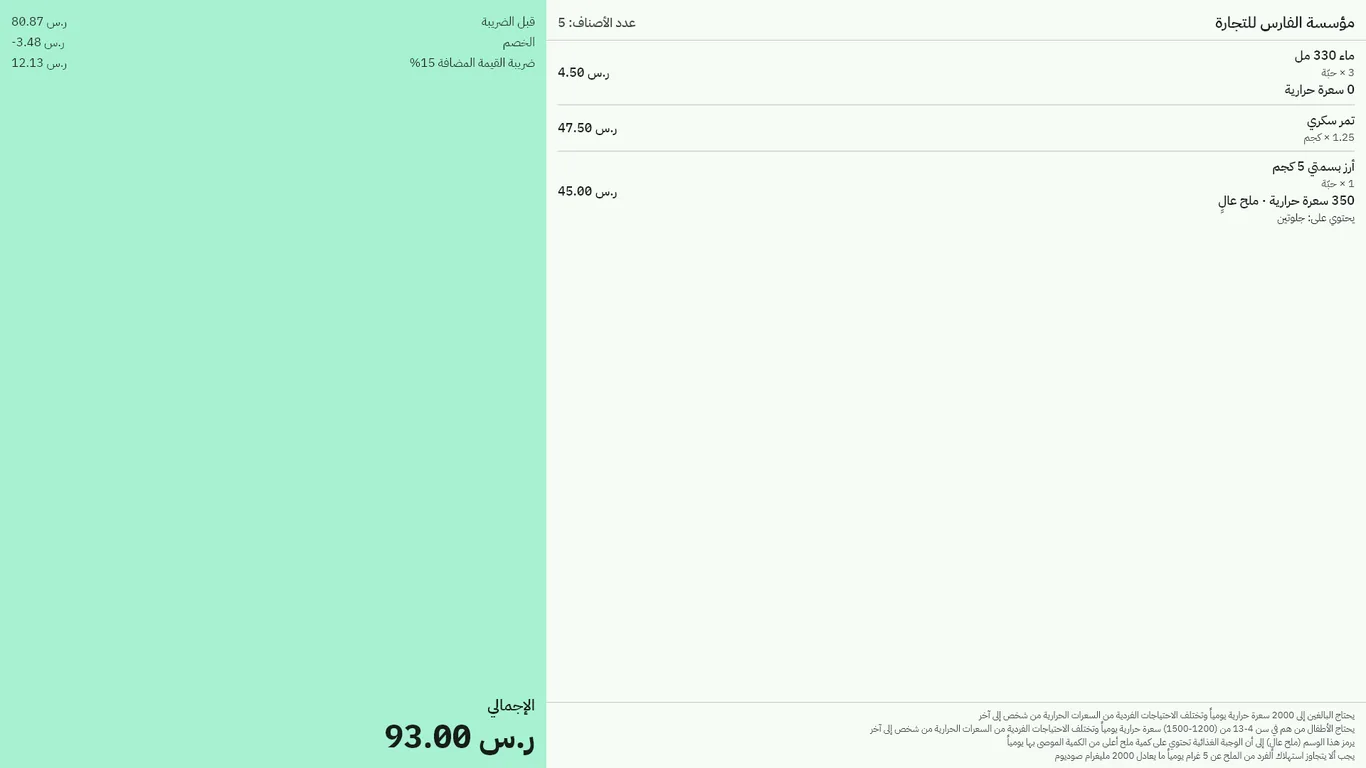
Record calories, sodium, caffeine and allergens for every item and modifier, shown on the till and the customer display — to help you meet the Saudi Food and Drug Authority's requirements for food outlets.
Cost and reports
Recipes
Each dish's ingredients leave the warehouse with the invoice, so you know its theoretical cost.
Waste and count variance
Food waste and count variances in their own ledger accounts.
Restaurant reports
Orders, items, kitchen time, voids and comps, and «open orders now» on the owner dashboard.
E-invoicing
Every invoice from the till under the business's tax profile, signed on the device for businesses integrated with ZATCA.
One restaurant or many branches
We help you set up the menu, the dining room, the stations and the printers before your first day.
Chat on WhatsApp