Point of sale
A fast till that sells even when the internet is down
One till app for Windows, Android and handheld POS terminals. It carries what it needs to sell on its own and uploads everything it sold, in order, when the connection returns — no invoice lost or doubled.
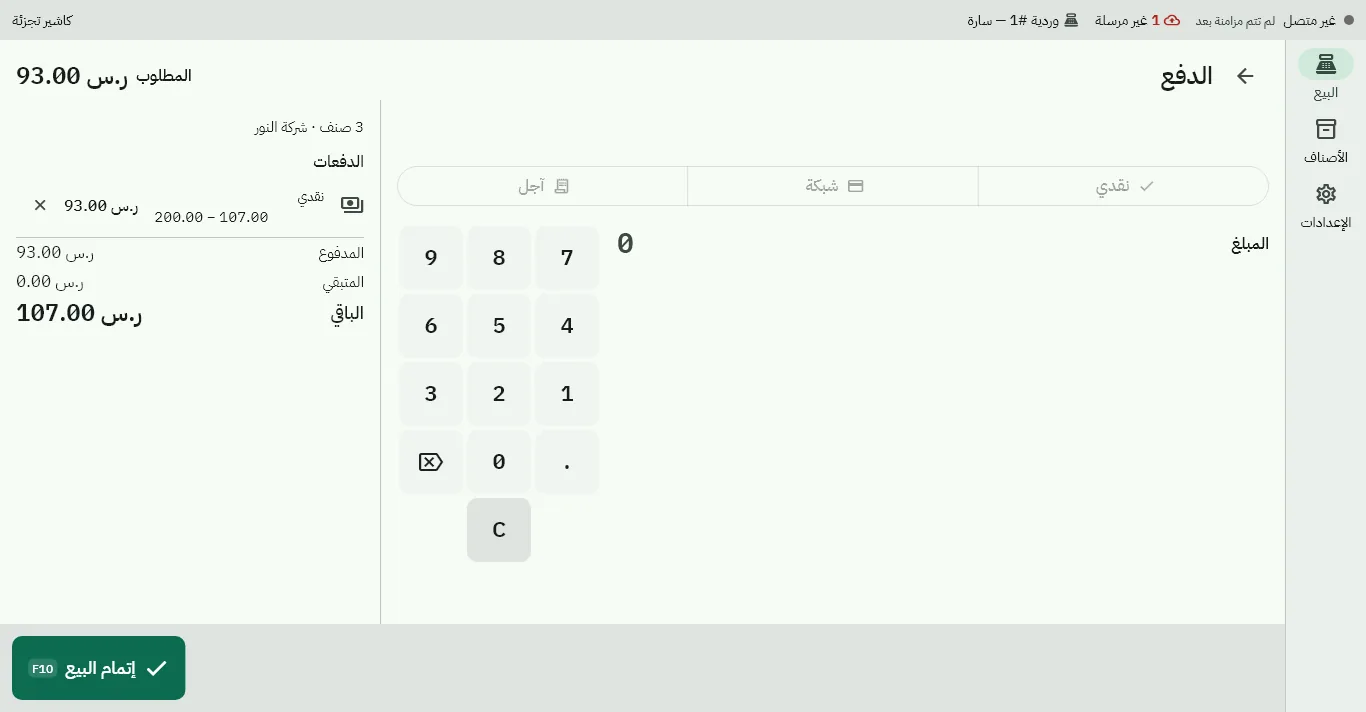
Selling
Scan and search
Barcode readers, weighed scale-label barcodes, the scanner built into handheld Android terminals, the phone camera, and search by name and category.
The right price, automatically
The branch price list and the promotions running by time and day, VAT-inclusive or exclusive by list, computed to the halala.
Discounts with approval
Line or invoice discounts up to the allowed limit; above it a manager enters a PIN on the same till and is named on the document.
Held carts
Hold one customer's cart, serve the next and recall it; add a quick customer from the till.
Payments and returns
Every way to pay
Cash with change, card with the terminal's approval code, credit for a registered customer within their limit, and splitting the amount across several methods.
Payment terminal link Coming soon
Sending the amount straight to a mada terminal from the till, and buy-now-pay-later providers — being certified with the providers.
Returns by scanning the receipt
Scan the receipt's code to open the original invoice, pick lines, quantity and reason, and a credit note is issued for what remains — never more than the invoice.
Receipts
Arabic thermal receipts with a QR code, reprints marked «copy», and the cash drawer opening on cash sales.
Shifts and the drawer
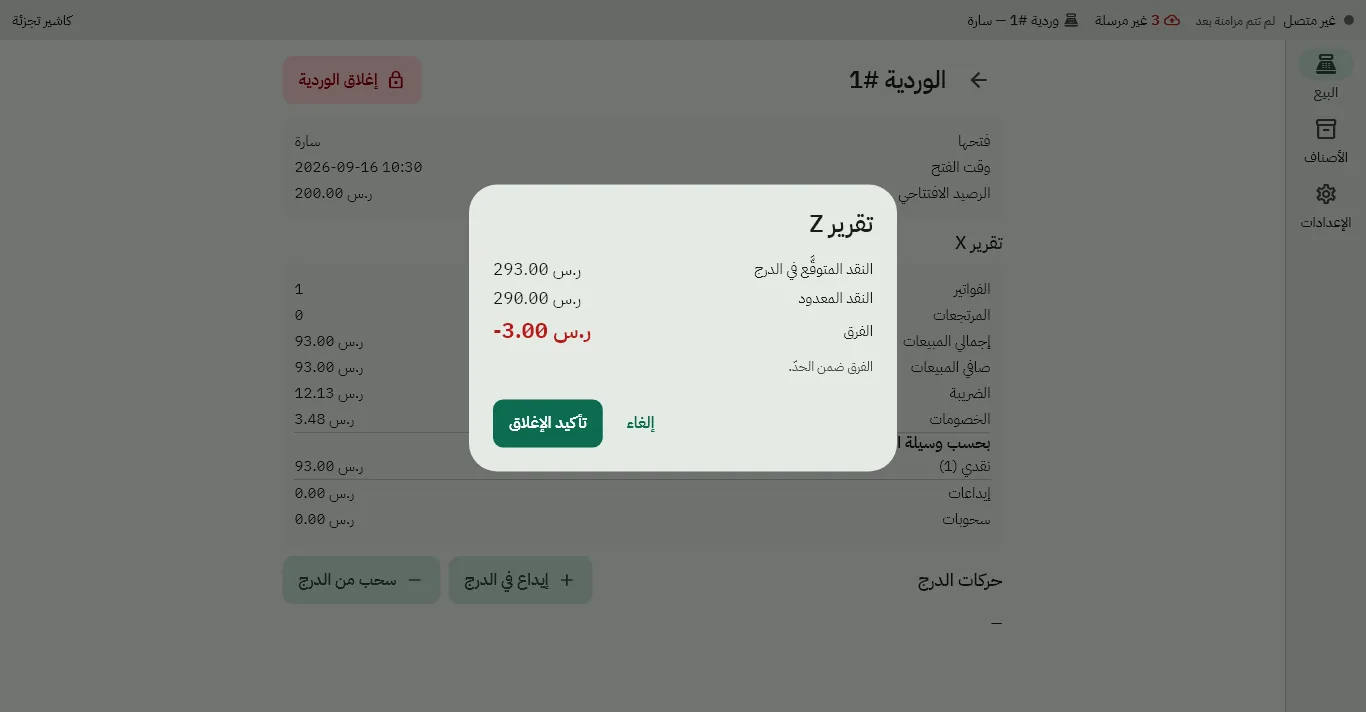
Each till has its shift: open with a float, cash in and out with a reason, an X report any time. Closing is a blind count — the cashier enters what is in the drawer before seeing the expected amount — then the Z report; the difference is recorded as it is and shown to management beside the system's figure.
- The shift's journal entries post on their own
- The Z report as a PDF from the back office
- Review flags for what needs a manager's eye
Offline, without worry
Sells on its own
Items, prices, customers and permissions sit on the device in an encrypted database; staff sign in with a PIN offline.
Uploads in order
Every document is uploaded once in the order it was issued; resending never doubles it, and what is not uploaded shows on the documents screen.
Warns you
A warning when an outage runs long, and a limit the business sets — simplified invoices must reach ZATCA in time.
Updates itself
Signed updates reach the till without interrupting an open shift.
Hardware
Printers
58 and 80 mm thermal receipt printers over USB, network and serial on Windows, Bluetooth and USB on Android, and the built-in printer of Sunmi and iMin terminals.
Scanners and scales
Barcode scanners of every kind, the scanner built into Android handhelds, and scale-label barcodes.
Customer display
A second screen showing the items, the total and the invoice code to the customer.
Kiosk mode
On dedicated Android devices the device is locked to the till app; leaving it takes a manager's PIN and is logged.
Try the till on your own devices
Tell us your business type and how many tills and devices you run, and we will arrange a hands-on demo.
Chat on WhatsApp