Fast-food restaurants
POS and accounting for fast-food restaurants
Direct ERP is point-of-sale and accounting software for fast-food, burger, shawarma and pizza restaurants in Saudi Arabia: a quick counter that pays in one tap and sends the order to its kitchen station, prices per order type (dine-in, takeaway, delivery), combos with their choices, and delivery zones with their districts, fees and drivers. The branch hub keeps orders and the kitchen running on the restaurant's network when the internet drops, and recipes give you each meal's cost.
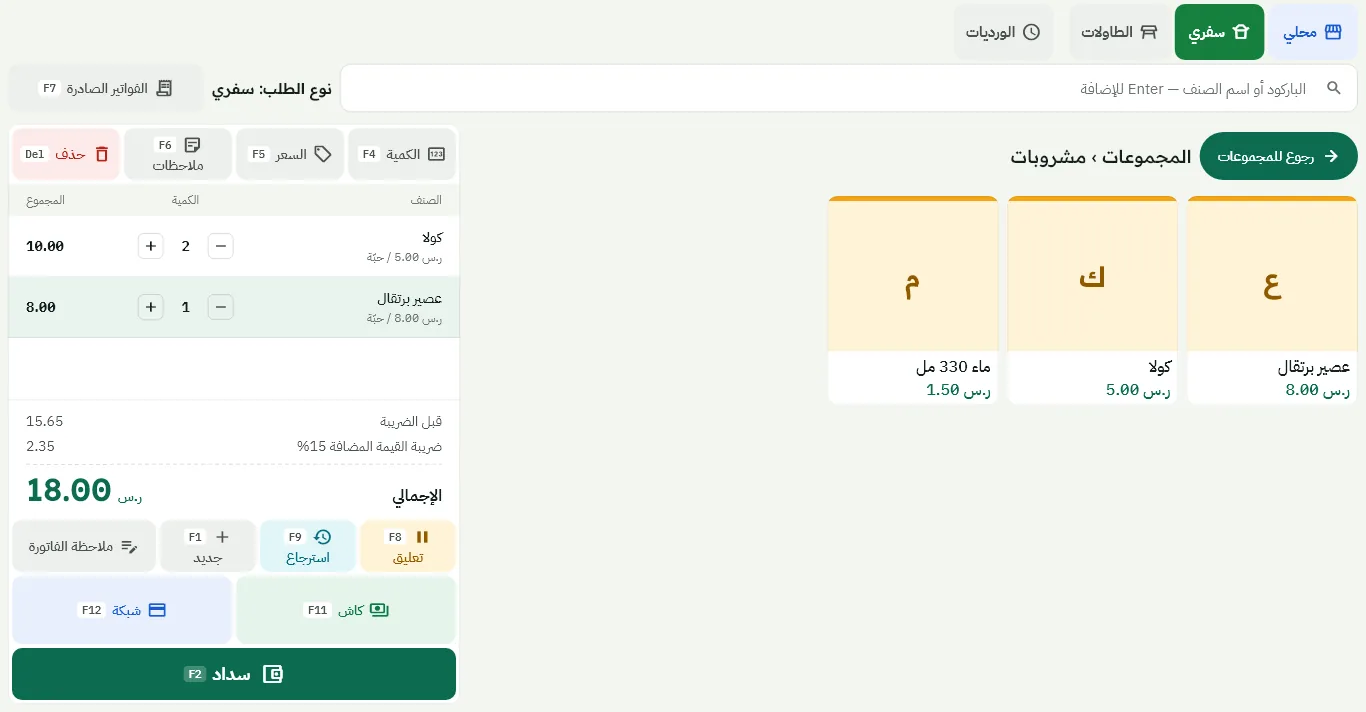
From the counter to the kitchen
Quick counter
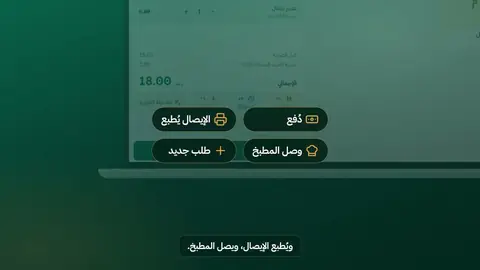
Takeaway from the first tap, coloured groups, and one tap on cash or card that pays, prints, sends to the kitchen and starts the next order.
Order type sets the price
A price list per order type, and service or delivery charges as a line on the invoice by type.
Combos and add-ons
A combo with its slots (main, drink, side) and upgrade difference, priced add-ons, removals and notes with limits.
Control
Voids, comps and discounts by an approval matrix you set, a manager PIN above the limit, and a voids-and-comps report per employee.
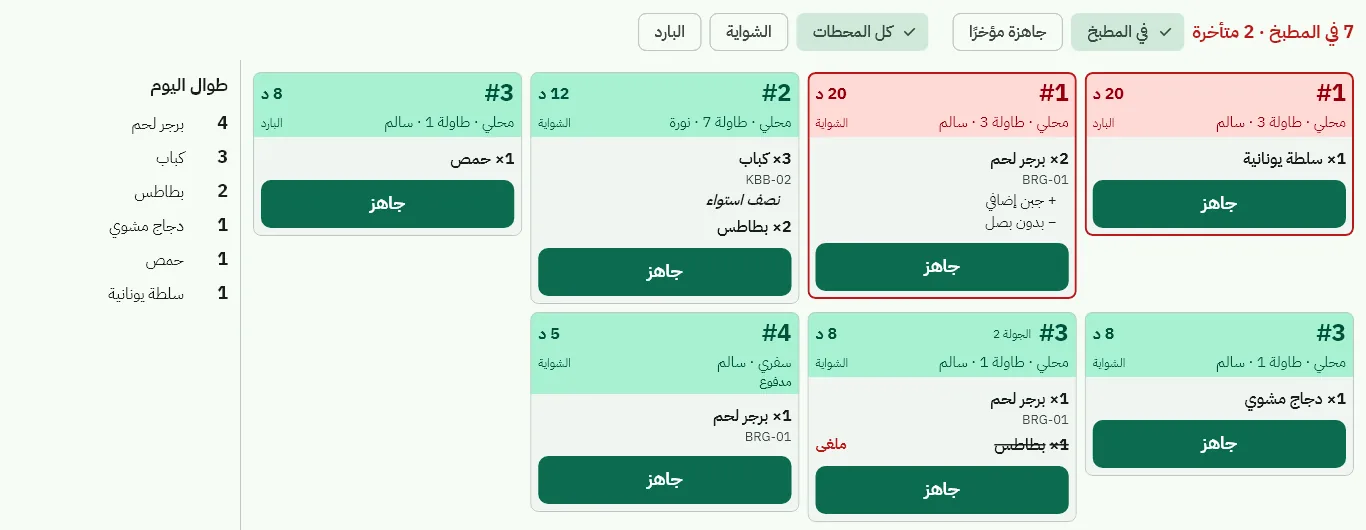
The kitchen sees what to cook now
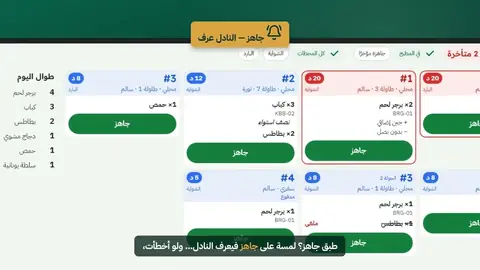
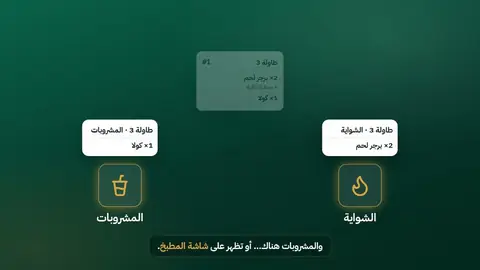
Each item reaches its station — grill, fryer, drinks — on a display with a «ready» button or on the station printer, a backup printer when the main one fails, and a «void» ticket when an item is cancelled after sending.
- Oldest first, late tickets in red
- Kitchen time report per station
- No ticket printed twice, no order lost
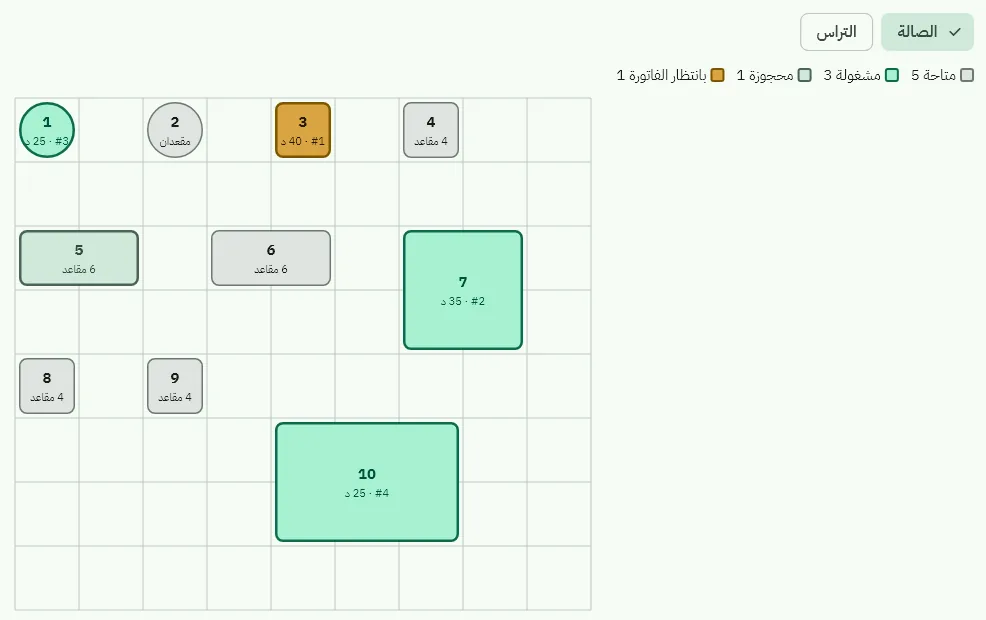
Delivery with its zones and drivers
Delivery zones by district, each with its fee and minimum, the customer's address on the order, driver assignment and status, and driver cash settled to the cashier's drawer at the end of the shift.
- An order inbox: phone and call-centre orders accepted or refused by the cashier
- Delivery-app integrations Coming soon
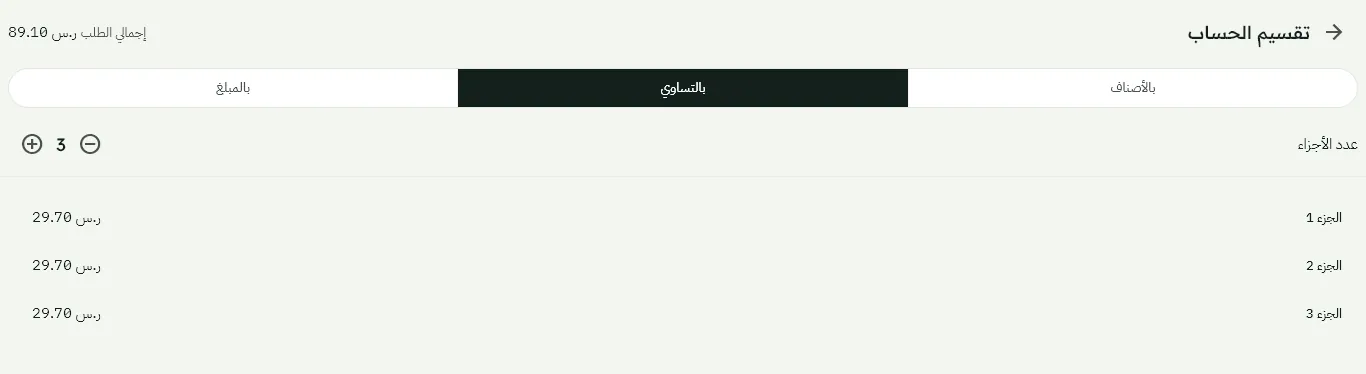
Split the bill without a calculator
Equally, by items or by amount; each part is its own invoice paid its own way, and the parts add up to the order to the halala.
When the internet drops, and after
Branch hub
The cashier's till decides open orders on the restaurant's local network, so ordering, kitchen and payment continue offline; invoices upload when it returns.
Recipes and cost
Each meal's ingredients leave stock with the invoice, so you see theoretical cost of goods, waste and count differences.
Restaurant reports
Orders, items, kitchen time and voids, and «open orders now» on the owner dashboard.
E-invoicing
Every invoice with the business's tax profile, signed on the device for a business integrated with ZATCA.
E-invoicing →Ordering from the table and online
QR menu ordering at the table
An electronic menu (QR menu) guests order from at their table: they scan the table's code, see the items with prices and send the order, which reaches the incoming-orders inbox for the cashier to accept before it goes to the kitchen. Switched on per branch by a setting; payment is at the restaurant.
Online ordering page for pickup and delivery
An online ordering page for pickup and delivery for each branch: the customer picks items and sees an estimated total, with the delivery zone's fee and minimum, and the order reaches the same inbox, priced by the cashier on acceptance. Payment is on pickup or delivery; there is no online payment on the page.
Restaurants on video
Frequently asked questions
What is the best POS for a fast-food restaurant?
One that pays and sends to the kitchen in one tap, routes each item to its station, knows combos and their choices, keeps working offline, and posts sales to recipes and accounting.
Can prices differ for dine-in, takeaway and delivery?
Yes, with a price list per order type; delivery or service charges are a line on the invoice.
Does it connect to delivery apps?
Delivery-app integration is Coming soon. Today the cashier records phone and call-centre orders in the order inbox and runs delivery with its zones and drivers.
What happens if the internet drops at the rush?
Ordering, the kitchen and payment carry on over the restaurant's network through the branch hub; invoices are signed on the device and uploaded when the connection returns.
Does it compute each meal's cost?
Yes, from its recipe: ingredients leave stock with the invoice and the meal costs the sum of its ingredients and choices.
Can guests order from their table by scanning a QR code?
Yes. An electronic menu (QR menu) guests order from at their table; the order reaches the incoming-orders inbox for the cashier to accept, then goes to the kitchen. Payment is at the restaurant.
Can customers order online for pickup or delivery?
Yes, from the branch's online ordering page for pickup and delivery, with an estimated total and the delivery zone's fee and minimum; the cashier accepts and prices the order, and payment is on pickup or delivery, not on the page.
Try a rush hour on screen
We show you the counter, kitchen and delivery with your menu, online and offline.