Bookshops & stationery
POS and accounting for bookshops and stationery stores
Direct ERP is point-of-sale and accounting software for bookshops, stationery and office-supply stores in Saudi Arabia: thousands of barcoded items imported from an Excel file, fast scanner selling, back-to-school offers applied by the till itself, quotations, orders and standard tax invoices for schools and companies, and barcode counts and purchase suggestions before the season. The Windows or Android till sells and signs invoices even when the internet drops.
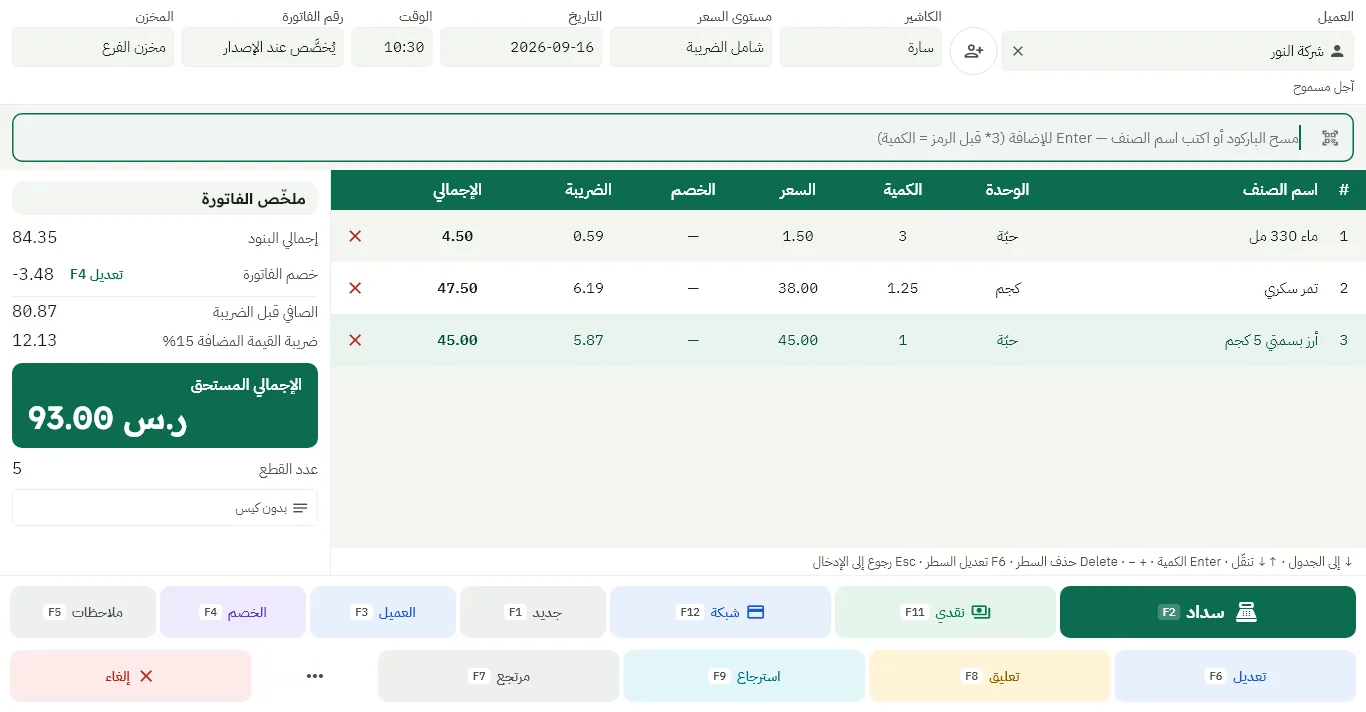
Many items, no fuss
Import
Items, prices and customers from Excel files with a preview before anything is applied; a wrong row is refused on its own, with the reason.
Barcodes and search
Several barcodes per item, search by name or part of it, and categories for stationery, books and bags.
Units
A pen by the piece, the box and the carton with a conversion factor; stock in the base unit.
Labels
A shelf or item label with a barcode and the VAT-inclusive price for what comes without a supplier barcode.
Back to school
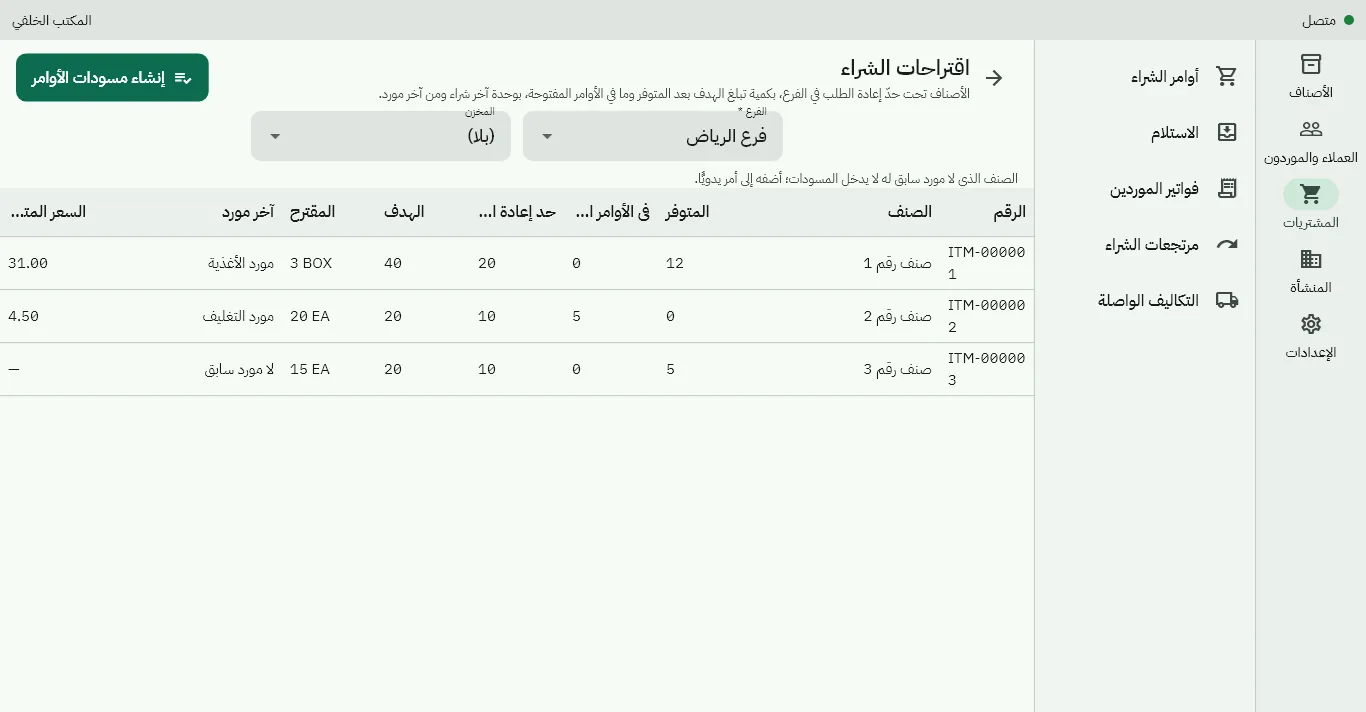
Get ready before the season: purchase suggestions from reorder levels less what is ordered and not received, purchase orders with approval, bulk price changes with a preview, and a percentage offer on a whole category or buy-X-get-Y for the season, ending on time by itself.
- Hold a parent's invoice while they finish the list, and serve the next customer
- Split payment between cash and card
- A best-sellers report for the season
For schools and companies
A quotation from the order list becomes a sales order and then a standard tax invoice with the body's name, VAT number and address, cleared before sharing in phase 2, and collected on the customer's account within its credit limit, with a statement.
The books
Accounting
Every sale, return and receipt posts its entry to the halala; financial statements and the VAT return from the ledger.
E-invoicing
Simplified invoices signed on the device with a QR code, standard ones cleared before sharing, each with the profile of its day.
E-invoicing →Inventory
Weighted average per warehouse, transfers between branches, and each item's movement.
Inventory →On video

Frequently asked questions
I have thousands of items in an Excel file. How do I move them?
With the import: upload the file, map its columns to the product's fields, see the preview before applying, and a wrong row is refused on its own.
Can I sell by the piece and by the box?
Yes, each item has a base unit and other units with a conversion factor, each with its own barcode and price.
Does it issue invoices to schools and public bodies?
Yes, a standard tax invoice with the body's name, VAT number and address, from a quotation or a sales order, on credit.
How do I count the shop?
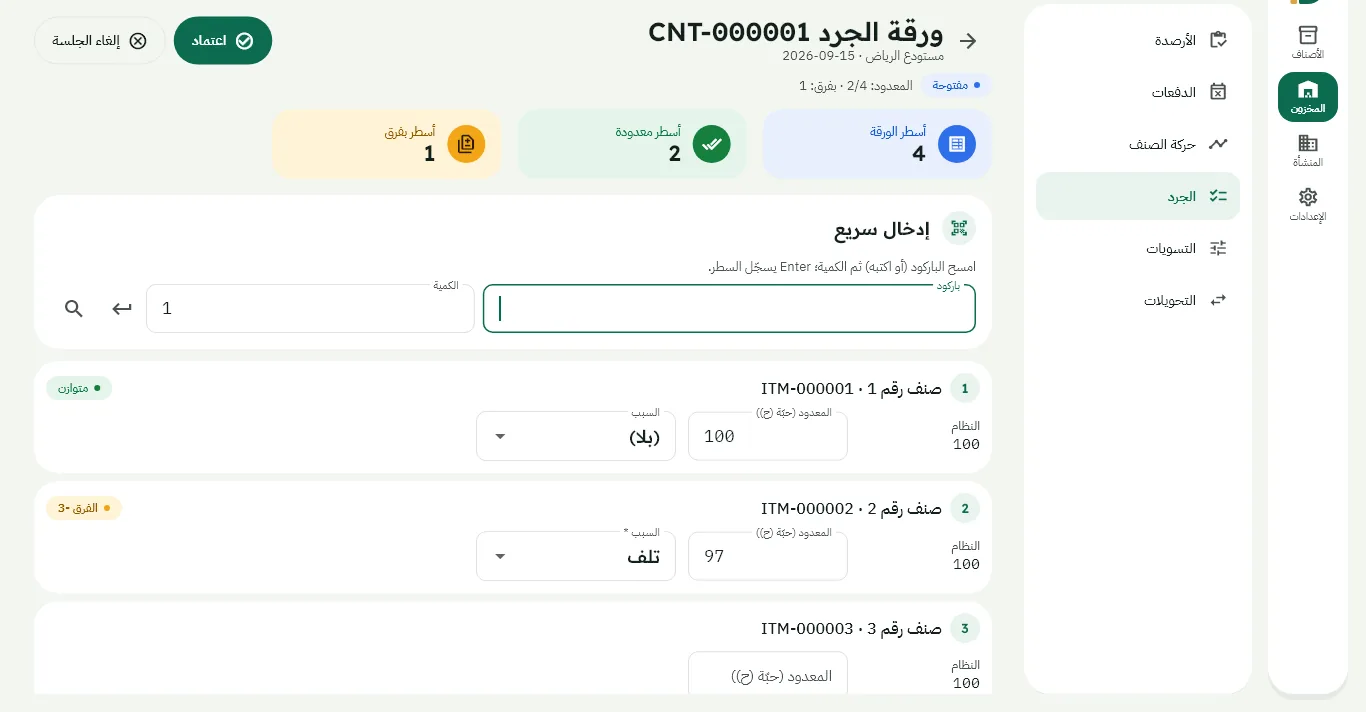
With a count sheet where you scan and type the quantity; a difference needs a reason before approval, then posts to stock and the ledger.
Send us your item file
We import it with you and show you the till, offers and counts on your own items.